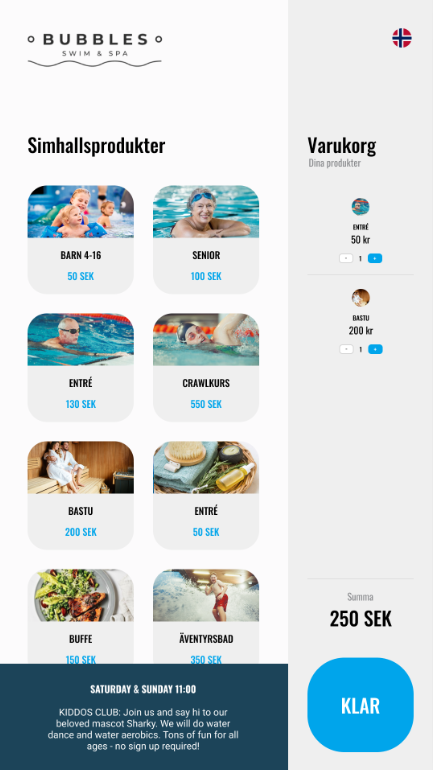
Self Service Station
Description
The Self Service Station enables customers to purchase items or entry tickets and access your facility independently, reducing queues at reception and improving operational efficiency. Customers can either browse available products directly on the screen or scan an item’s barcode, provided the product is configured for barcode use and a scanner is installed.
See the following pages for more information:
Entrance sales in Self Service Station
Restrict sale of certain products
(BRP-8470 / GA2026.02)
It is possible to restrict customers from purchasing certain products in the Self Service Station when scanning the barcode. An example could be energy drinks, where you want to keep control of the sale since the person must be a certain age to be allowed to purchase.
Configuration
Create a specific product label for the products you wish to restrict for purchase using the Self Service Station. This is done in BRP Configuration → Products → Product labels.
Add the product label to the specific products in BRP Configuration → Products → Products.
Configure the following settings:
Setting | Description |
|---|---|
restrictSelfServiceSalesByLabel | Add the product label. Products with this product label cannot be purchased by scanning a barcode in the Self Service Station. |
restrictSelfServiceSalesMessage | An error message will be displayed to the user if they try to scan an item that is not allowed for purchase in the Self Service Station. The standard message is: “This product requires age control. Please use a manned register” (see image below). If you want to override this message and display something else, enter that message here. Note! It is currently only possible to configure this message in one language. |